
The Ultimate Guide to 7-Segment Display Pin Configuration
Time : Jan 23, 2026 View : 256
From the timer on a kitchen microwave to the battery level shown on a large industrial UPS, the 7-segment display remains one of the most dependable and easy-to-read options in electronics. Newer screen types keep appearing, yet the straightforward design and strong contrast of LED segments keep them popular in many fields. For a company like LIGHTBO, which has led LED development since 2006, knowing the details of pin setups and how they work forms the base for building top-quality interfaces. This guide covers the basic structure of these displays and shows how LIGHTBO uses those ideas to offer better products.
The Anatomy of a 7-Segment Display
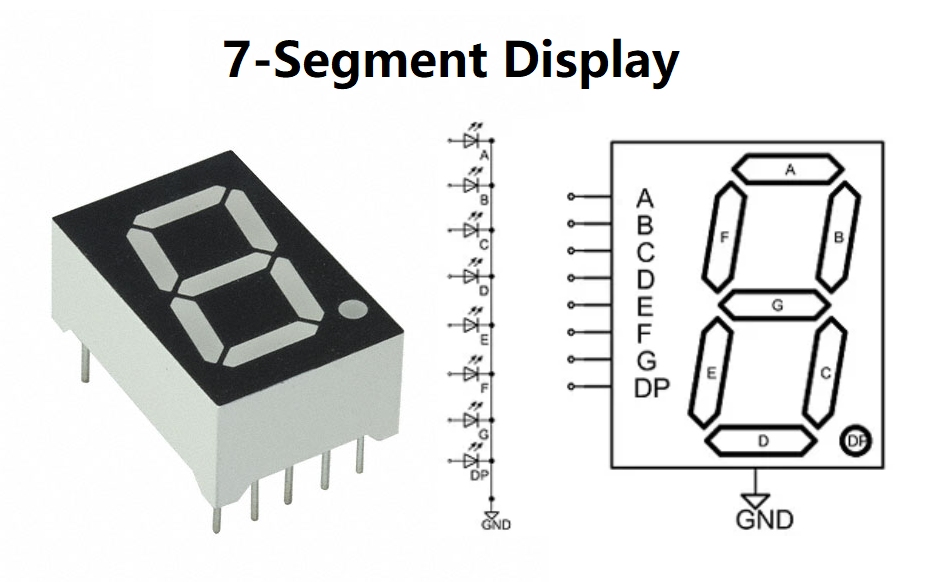
A 7-segment display is simply a group of eight light-emitting diodes packed together. Seven of them shape the figure of a number, and the eighth serves as a Decimal Point (DP).
Segment Identification: The a-g and DP Layout
People label each segment with a letter from ‘a’ to ‘g’. They form a figure-eight shape: ‘a’ sits at the top horizontal line, then the labels go clockwise with ‘b’, ‘c’, ‘d’, ‘e’, and ‘f’, while ‘g’ runs across the middle. LIGHTBO makes many kinds, from basic single-digit models to more involved six-digit ones. Take our 3-digit 12.7mm display used in refrigerators – it needs careful segment placement so every number lights up evenly across the three positions.
The Semiconductor Foundation: LED Die and Packaging
How well the segments perform depends a lot on the LED chip inside. LIGHTBO picks high-grade chips to create Ultra Bright White, Pure Green, and Blue versions. The outer case, whether an “Ultra Thin” style for e-cigarettes or a tough shell for ovens, has to shield the thin wires that link the chip to the outside pins.
Operating Principles: Common Anode vs. Common Cathode
The way the LEDs connect inside decides how a microcontroller or driver chip controls the display. Two main types exist: Common Anode (CA) and Common Cathode (CC).
Common Anode (CA) Circuitry and Logic
In a Common Anode setup, all positive sides of the eight LEDs join to one shared pin that goes to the supply voltage (Vcc). To turn on a segment, the matching negative pin gets pulled to ground. LIGHTBO supplies these for projects where the system design favors switching on the positive side.
Common Cathode (CC) Circuitry and Logic
On the other hand, a Common Cathode type connects all negative sides to one ground pin. A high signal on a segment’s positive pin lights it up. For example, our Multicolor Ultra Thin Custom 7-Segment Display for E-cigarettes usually follows this cathode setup because it fits neatly with the device’s main board.
The Ultimate Guide to Pin Configuration
Getting the pin layout right matters a great deal when laying out a printed circuit board. A wrong connection can flip numbers around or leave segments dark.
Standard 10-Pin Single Digit Pinout
Most single-digit 7-segment displays come with 10 pins. Two of them, often the center ones on the top and bottom rows, serve as the “Common” pins and link together inside. The other eight pins control segments a, b, c, d, e, f, g, and the DP. LIGHTBO builds its standard parts to match common industry layouts, so customers can swap them into older designs without trouble.
Multi-Digit Configurations and Multiplexing Logic
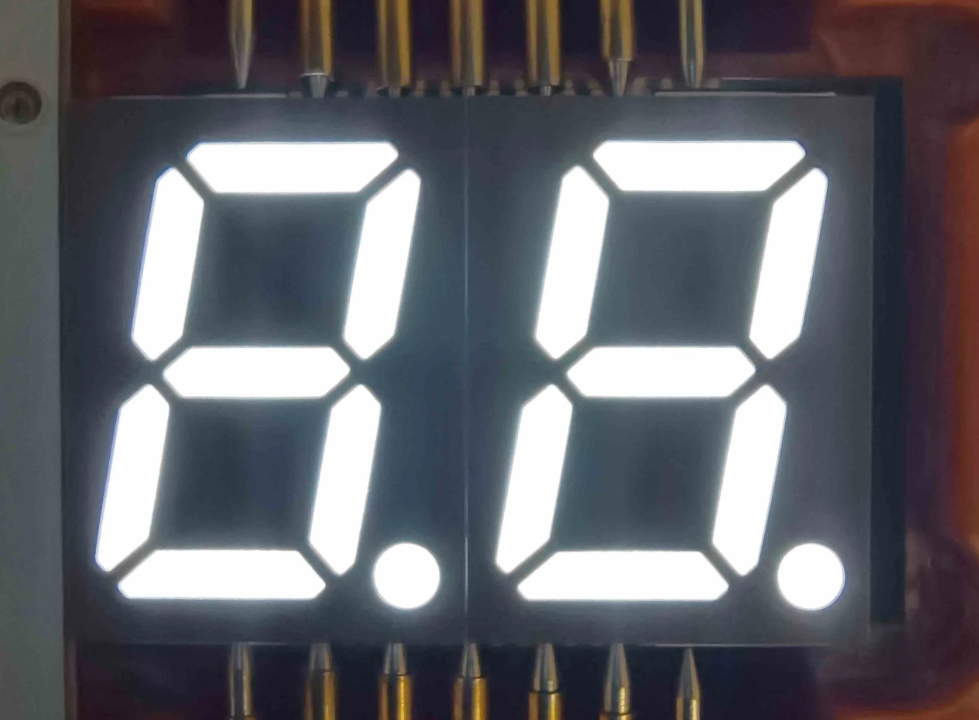
For displays with two, three, or even six digits, the pin count does not grow with each added number. Makers use multiplexing instead. In a 4-digit unit, every ‘a’ segment ties together, every ‘b’ ties together, and so on. Each digit gets its own “Common” pin. The system switches quickly between digits – too fast for the eye to notice – and the whole number looks steady while using far fewer pins. LIGHTBO’s 0.56-inch 2-digit SMD LED DISPLAY shows this smart pin saving in small boards.
SMD vs. Through-Hole Pin Layouts
The way pins attach also changes between Surface Mount Device (SMD) and Through-Hole (DIP) styles. SMD types, like LIGHTBO’s Ultra Bright White SMD series, have flat pads or short stubs made for fast machine placement. They suit crowded boards well. Traditional through-hole pins, however, hold up better in rough settings where shaking or vibration happens often.
Advanced Display Innovations by LIGHTBO
LIGHTBO goes beyond basic number displays and builds special units that stretch what segment technology can do.
Specialized Alphanumeric and Custom Solutions
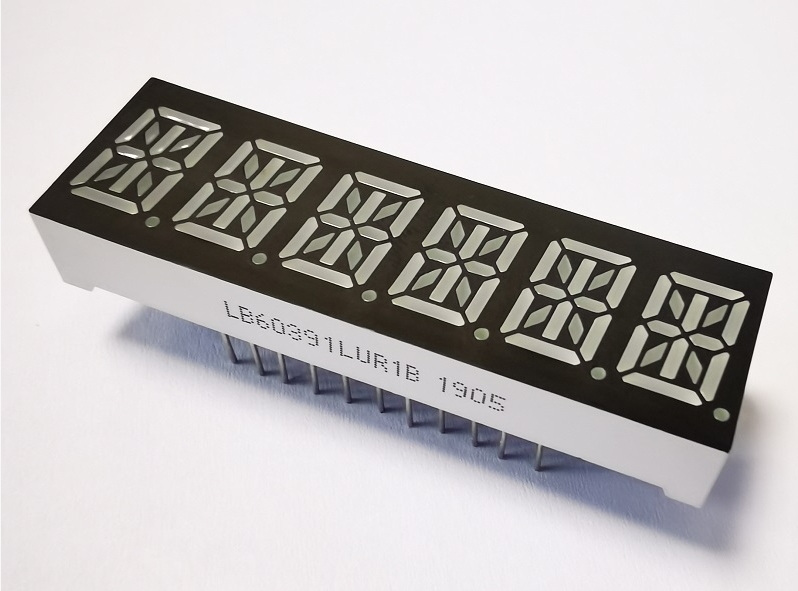
When plain digits fall short, Alphanumeric LED Displays add 14 or 16 segments. Those extra lines let the unit show all letters from A to Z, plus many symbols, clearly. LIGHTBO excels at Custom LED Displays, making made-to-order parts for electric scooters, UPS systems, and medical devices that need special icons next to numbers.
Integrating ICs and Capacitive Touch
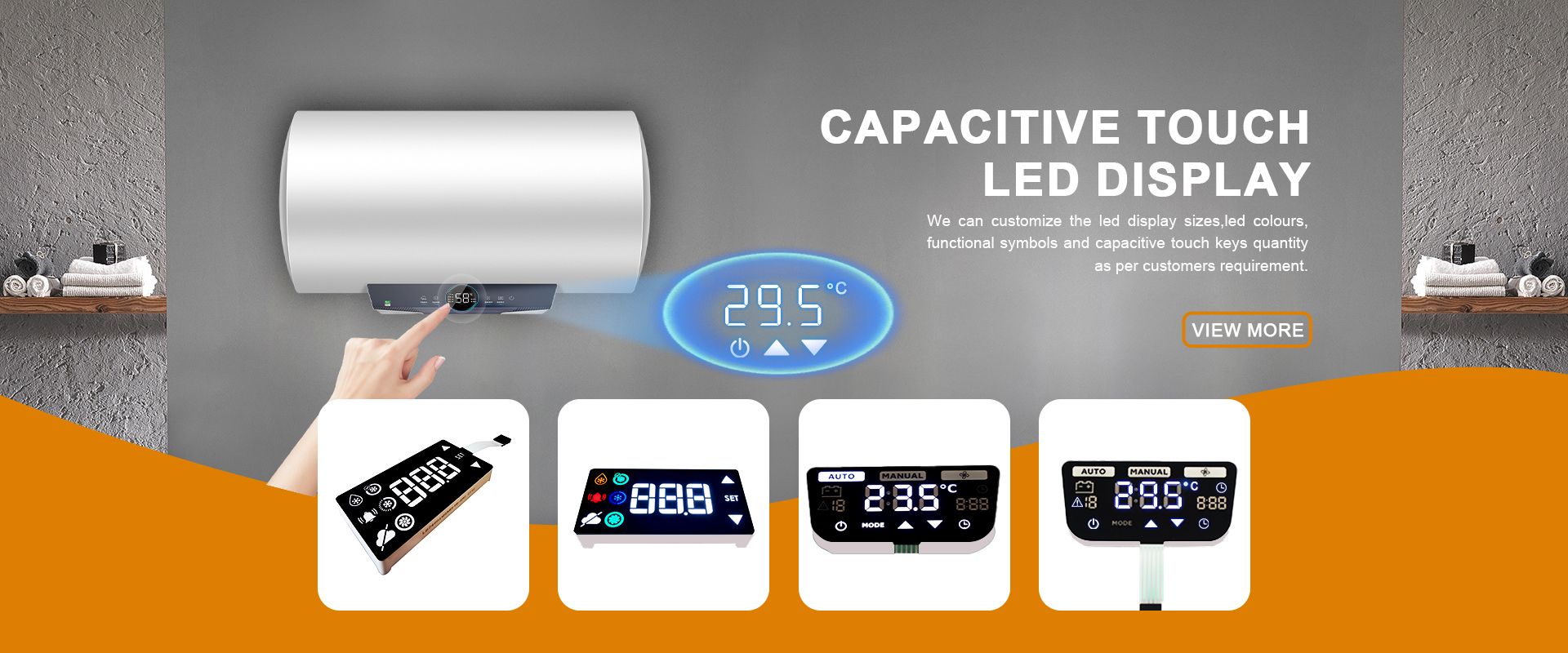
To make design work easier for customers, LIGHTBO sells LED displays with IC modules. A built-in driver chip cuts down the pins needed on the main controller and lowers electrical noise. Since 2020, we have also created multifunction units with capacitive touch, so the front surface can take input from fingers as well.
Quality Standards and Industrial Applications
In areas like new energy and power systems, display reliability cannot be compromised.
Reliability in Harsh Environments
LIGHTBO builds products to handle tough conditions found in household appliances, such as the heat inside ovens. After earning ISO 9001 certification in 2015 and adding automated test machines in 2016, every production run passes tight quality checks. Our items carry the RoHS mark and have cleared Supplier Capability Assessments, so they remain safe and sturdy for sale around the world.
Conclusion
Picking the best 7-segment display means looking past just the height of the numbers. It calls for solid knowledge of pin arrangements, driving methods, and how well the part fits the setting. LIGHTBO brings years of production know-how together with a focus on “Pursuing Excellence” to supply tailored, high-grade display answers. From an ultra-bright unit for an oven to an advanced 16-segment alphanumeric piece, our technical staff stands ready to help you improve your product and strengthen your position in the market.
FAQ
Q: How do I identify if my 7-segment display is Common Anode or Common Cathode?
A: You can use a multimeter in diode-test mode. Place the positive probe on the common pin; if the segments light up when the negative probe touches other pins, it is Common Anode.
Q: What are the benefits of using an SMD 7-segment display?
A: SMD models, like those from LIGHTBO, are much thinner and support automated high-speed assembly, making them perfect for compact devices like e-cigarettes or smart meters.
Q: Can LIGHTBO create a display with custom icons instead of just numbers?
A: Yes, we specialize in Custom LED Displays and can incorporate specific brand logos, status icons, or unique segment shapes for appliances and industrial tools.
Q: Why should I choose a 14-segment display over a 7-segment one?
A: A 14-segment alphanumeric display allows you to show full alphabetical characters and complex symbols clearly, which is not possible with a standard 7-segment layout.


