
Multiplexing Simplified: How to Drive Multi-Digit Common Anode Displays
Time : Mar 12, 2026 View : 421
Engineers who design modern electronic controls frequently run into the same problem: how to create a readable multi-digit display without using up too many pins on the microcontroller. Driving a four-digit 7-segment display in static mode takes 32 separate pins. Most small or cost-sensitive designs simply cannot spare that many.
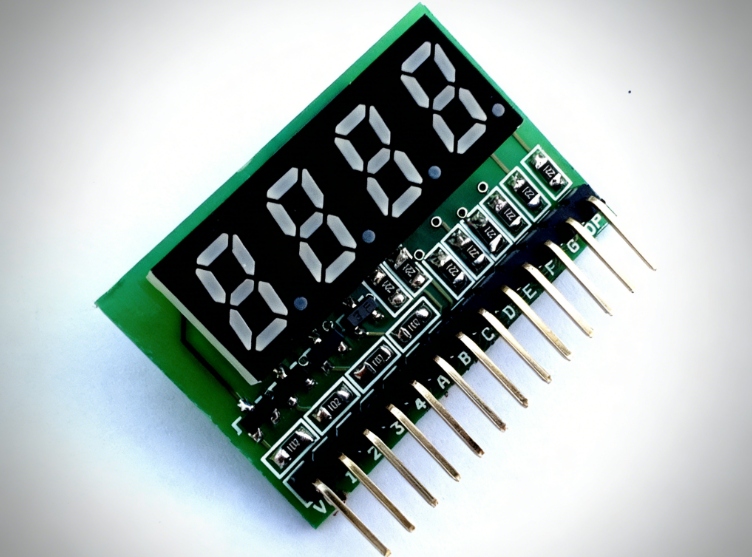
As a leading professional manufacturer, LIGHTBO understands that driving a multi-digit 7-segment display statically—where each segment requires a dedicated pin—is a luxury most compact, cost-sensitive designs cannot afford. This article explains multiplexing as a practical way to handle Common Anode displays while keeping the screen sharp and free from the faint, unwanted images known as ghosting.
The Power of Scanning: Understanding Multiplexing in LED Displays
Why Static Drive Fails for Multi-Digit Systems
A static drive connects each segment of every digit straight to its own microcontroller pin. This arrangement delivers full brightness and no flicker at all. Still, it wastes a large number of pins. In products such as industrial ovens or feature-rich refrigerators, dedicating more than thirty pins just to the display raises costs and makes the circuit board layout much harder to route cleanly.
The Core Principle of Multiplexing (Scanning)
Multiplexing, often called scanning, takes advantage of the way the human eye holds onto images for a brief moment. Rather than lighting every digit at once, the microcontroller turns on one digit after another in quick succession.
-
All matching segments (A through G plus the decimal point) connect together across every digit.
-
The Common Anode of only the active digit gets pulled high, while the segment pins go low to light the needed parts.
-
When the cycle runs fast enough—usually between 100 Hz and 1 kHz—the entire display looks steadily lit to anyone watching.
Maximizing Efficiency: Strategies to Reduce MCU Pin Occupancy
The Common Anode Matrix Configuration
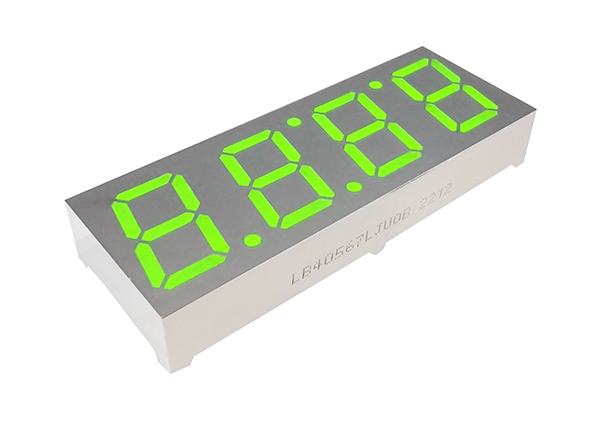
Common Anode setups appear often in applications that need strong brightness. In this layout, the anodes of all segments within one digit join together. Multiplexing lets a 4-digit display, such as the LIGHTBO Four Digit 7-Segment LED Display, work with just 12 pins: eight for the segments and four to select each digit. That cuts pin usage dramatically compared with static driving.
Integrating LIGHTBO High-Digit Modules for Pin Optimization
LIGHTBO offers a wide selection of multi-digit displays, ranging from two-digit to six-digit versions, all built with scanning in mind.
-
SMD LED Displays: For designs where space matters, LIGHTBO’s 0.56-inch 2 Digit SMD LED Display provides a low-profile surface-mount option. It keeps the board height small yet delivers the bright white light required in premium consumer products.
-
Customized Pinouts: The LIGHTBO design team works directly with clients to create custom pin arrangements that fit specific microcontroller boards. This approach simplifies trace routing on the printed circuit board.
Banishing the Ghost: Professional Techniques for Crystal-Clear Displays
Understanding the Root Causes of Ghosting
Ghosting shows up as a dim shadow of one digit lingering on the next digit during the scan cycle. The main reasons include leftover charge stored in the small capacitance of the LED segments or sluggish turn-off times in the transistors or MOSFETs that control the digits. If the segment pattern changes before the previous digit has gone completely dark, a faint outline remains visible.
Implementing Effective “Blanking” Intervals
Good firmware prevents ghosting by adding a short blanking period between digits. The sequence works as follows:
-
Turn Off: Pull the current digit’s Common Anode low to shut it down.
-
Wait: Clear the segment lines and insert a brief delay, often a few microseconds.
-
Update: Load the correct segment data for the upcoming digit.
-
Turn On: Pull the next digit’s Common Anode high.
This method makes sure no two digits light up at the same time, even for an instant. LIGHTBO components undergo testing for quick response, so they handle fast scanning well and avoid the delays that appear in lower-grade parts.
Where LIGHTBO Displays Solve Design Challenges
Precision Temperature Control in Kitchen Appliances
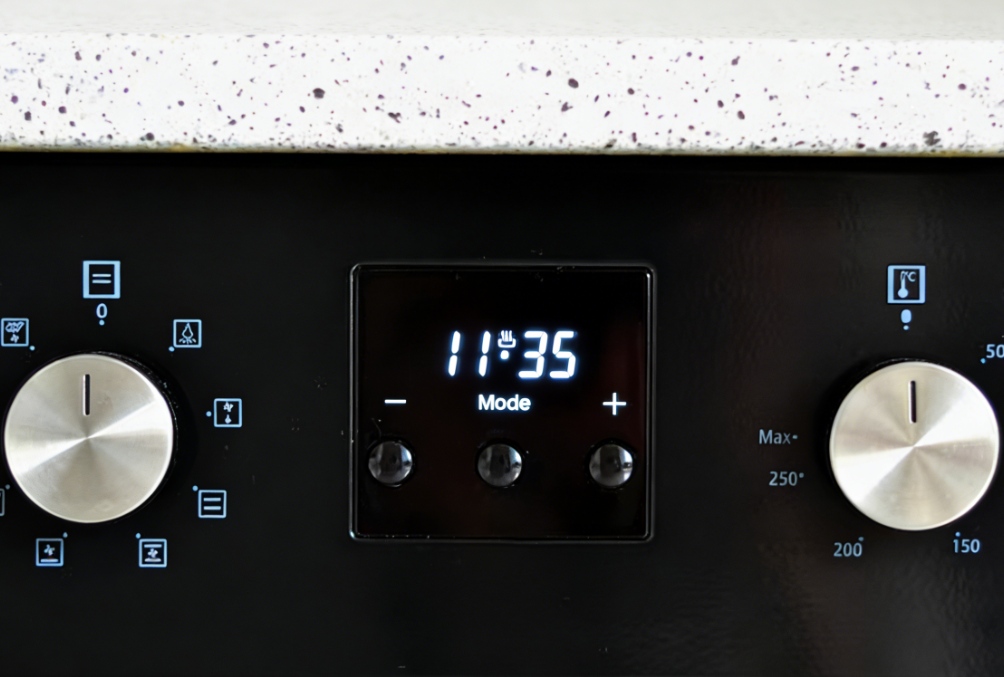
Ovens and similar appliances expose displays to high internal temperatures. Clear visibility remains essential, even when the display sits behind thick glass. LIGHTBO Ultra Bright White Custom 7-Segment LED Displays hold strong contrast in these conditions. Multiplexing frees up microcontroller pins so the same chip can manage extra sensors that monitor steam levels or fan speed in advanced cooking equipment.
Compact Power Management in UPS Systems
Uninterruptible Power Supplies need displays that show battery status and load conditions at a glance. LIGHTBO multicolor customization 7-segment displays support color changes—for example, green during normal operation and red when the system is overloaded. Their slim construction fits easily into the narrow front panels typical of rack-mounted units, solving space limitations while keeping the interface easy to read.
High-Visibility Readouts for New Energy Equipment
Dashboards on electric scooters or control panels for solar inverters often face bright outdoor light. LIGHTBO Arrow LED Displays and Alphanumeric modules produce enough brightness to stay legible in sunlight. Scanning allows a single affordable microcontroller to handle both the display output and the communication tasks required for battery management systems.
Why Choose LIGHTBO for Your Multi-Digit Display Needs?
LIGHTBO began operations in Shenzhen in 2006. The company follows the guiding principle of Pursuing Excellence, Building Success Together. Rather than supplying only parts, LIGHTBO delivers complete solutions tailored to real design needs.
-
Quality Assurance: ISO 9001 certification guides every step, and advanced automated equipment keeps brightness and lifespan consistent across every segment.
-
Customization Expertise: Whether the requirement calls for a 10-segment light bar used in audio equipment or a specialized alphanumeric display for measurement instruments, the in-house team develops the precise product needed.
-
Industry Leadership: LIGHTBO products appear widely in household appliances, new energy devices, and industrial controls, holding a strong position in kitchen appliances and temperature-related markets.
Conclusion & Contact Information
Driving several digits does not have to consume large amounts of hardware resources. Mastering multiplexing and pairing it with reliable modules from LIGHTBO lets designers build clean, flicker-free, and attractive user interfaces for many different products.
Ready to move forward with your next display project? Contact our technical staff to assist with your cost reduction and improved product performance.
-
WhatsApp: +86 15986806101 / +86 17340879202
-
Email: lightbo@lightbo.cn
FAQ
Q: What is the ideal refresh rate for a multiplexed 7-segment display?
A: A refresh rate of at least 60 Hz per digit prevents noticeable flicker. For a four-digit display, the overall scan rate should reach 240 Hz or higher.
Q: Can I use a shift register to further reduce pin count in a scanning circuit?
A: Yes. A shift register, such as the 74HC595, controls all eight segments with only three microcontroller pins (Data, Clock, Latch). The digit selection lines still use regular GPIO pins.
Q: Why are Common Anode displays often preferred over Common Cathode for high-current applications?
A: Many microcontrollers and driver chips handle sinking current (pulling lines to ground) more effectively than sourcing current (supplying VCC). Common Anode displays match this strength well.
Q: Does multiplexing shorten the lifespan of the LEDs compared to static driving?
A: No. Pulsed operation in multiplexing often keeps the LEDs cooler than constant drive, as long as the peak current stays within the manufacturer’s stated limits.


